
2× and 4× enlargement
AI Image Enhancer offers 2× and 4× choices so you can match the enlargement to the source size and intended use.
AI image enhancer
Upscale a small or soft image by 2× or 4× while retaining the composition.
Credits for this run: 10
Track AI Image Enhancer tasks and inspect finished results here.
Prompts are screened before eligible AI image requests are sent to a model. Do not submit NSFW, sexually suggestive, harmful, deceptive, or infringing content. Read the Acceptable Use Policy
AI Image Enhancer enlarges one low-resolution or soft image while preserving the original composition and improving readable detail.
Review the illustrative AI Image Enhancer example and its input and output checks, then inspect your generated result in the workbench above.
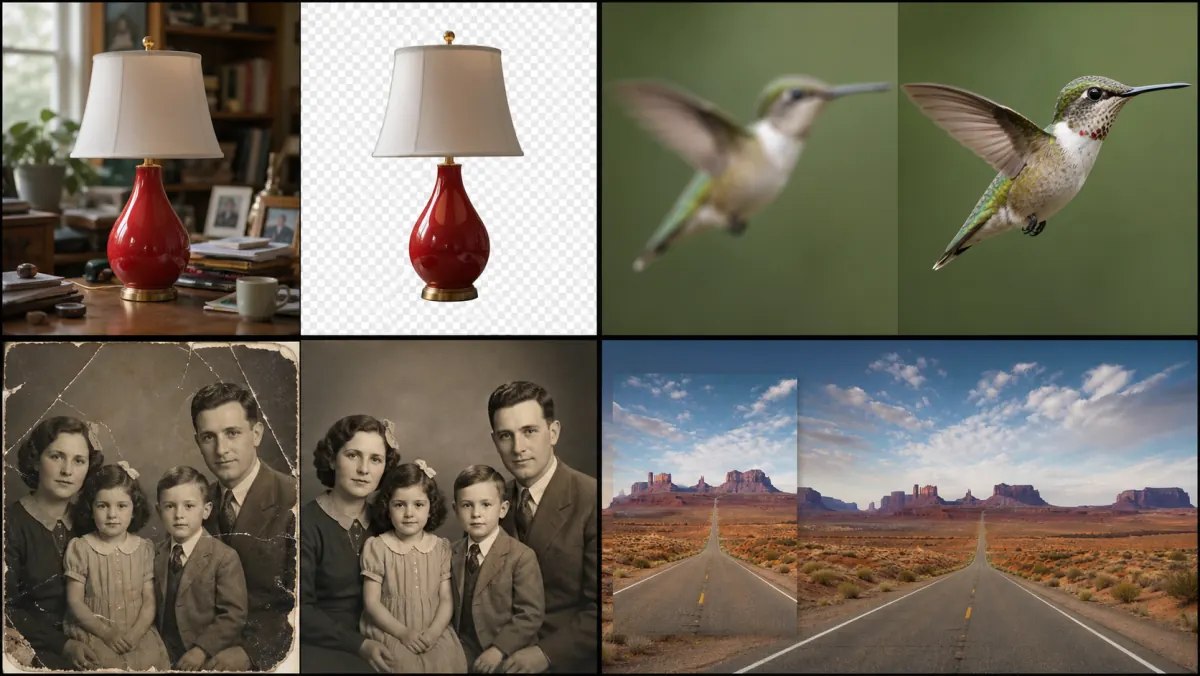
Illustrative enhancement comparison—not your generated result. Compare edges, feather detail, noise, and unchanged composition in your own output.
2× and 4× enlargement
AI Image Enhancer offers 2× and 4× choices so you can match the enlargement to the source size and intended use.
Original composition retained
AI Image Enhancer increases resolution without choosing a new crop or inventing a replacement scene.
Know the detail boundary
Upscaling estimates new pixels; it cannot recover hidden source detail and may alter faces, text, logos, or fine patterns. A larger pixel count does not prove true detail recovery.
Give AI Image Enhancer one low-resolution or soft image with the subject and important edges visible.
In AI Image Enhancer, use 2× for a lighter enlargement or 4× when the source needs more output pixels.
Review the AI Image Enhancer result at full size and keep the original for comparison.
AI Image Enhancer offers 2× and 4× choices so you can match the enlargement to the source size and intended use.
AI Image Enhancer increases resolution without choosing a new crop or inventing a replacement scene.
Upscaling estimates new pixels; it cannot recover hidden source detail and may alter faces, text, logos, or fine patterns. A larger pixel count does not prove true detail recovery.
Uploads accept PNG, JPG, and WebP files. Completed results stay in your private task history for full-size review, reuse, and download. The action button shows the credit cost before each run.
AI Image Enhancer can add output pixels before you reuse a small source in a larger web layout.
Use AI Image Enhancer to improve the readability of visible edges and details without changing the composition.
AI Image Enhancer can prepare a cleaner enlargement for personal keepsakes while you retain the original file.