
Damage and fade repair
Restore Old Photos can reduce scratches, dust, stains, fading, and mild blur while preserving the overall scene.
restore old photos
Repair scratches, fading, blur, and damage in an old photograph.
Buy credits once to unlock more models and 2K or higher resolution.
Credits for this run: 4
Track Restore Old Photos tasks and inspect finished results here.
Prompts are screened before eligible AI image requests are sent to a model. Do not submit NSFW, sexually suggestive, harmful, deceptive, or infringing content. Read the Acceptable Use Policy
Restore Old Photos cleans visible damage and tonal fading while retaining the source composition. Missing details and colors remain generated estimates.
Compare the illustrative Restore Old Photos example and its built-in direction, then inspect your generated result in the workbench above.
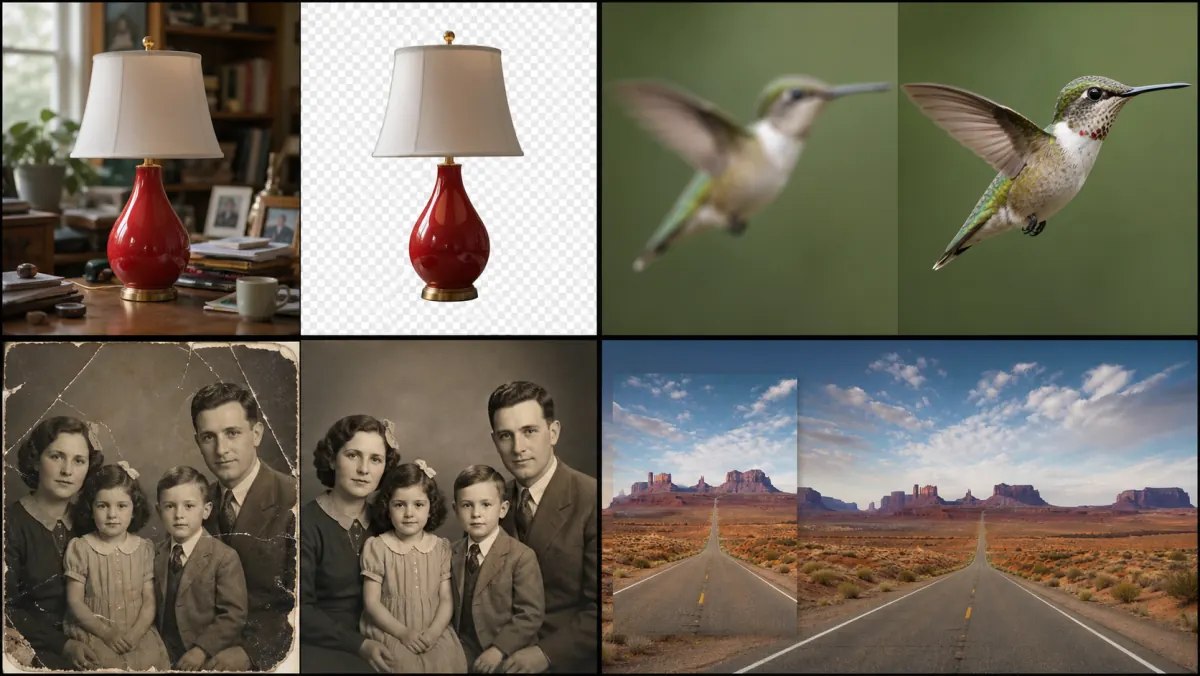
Illustrative restoration comparison—not your generated result. Check repaired cracks, facial integrity, tonal balance, and preserved period detail.
Repair and Preserve
Repair and Preserve is tuned for a cleaned and balanced restoration that preserves the people and period character of the source.
Restore Old Photos works best with the highest-quality scan or evenly lit photograph you have.
In Restore Old Photos, choose preservation, gentle colorization, or portrait recovery and note any details that must not change.
Review the Restore Old Photos result beside the original for faces, clothing, text, and period details before downloading.
Restore Old Photos can reduce scratches, dust, stains, fading, and mild blur while preserving the overall scene.
Restore Old Photos follows the source composition and lets you specify people, clothing, objects, or text that should remain unchanged.
Missing details and colors are generated estimates, not recovered historical facts. Keep the original scan and do not use the restoration as archival or identity evidence.
Uploads accept PNG, JPG, and WebP files. Completed results stay in your private task history for full-size review, reuse, and download. The action button shows the credit cost before each run.
Use Restore Old Photos on a working copy for family albums while keeping the untouched scan as the record.
Restore Old Photos can clean dust and fading from a portrait, but you should compare identity-defining features with the source.
Restore Old Photos can prepare a balanced viewing copy without claiming that estimated colors are historically exact.