
Start with your input
Use Online Photo Tools to compare tools that start with text, one image, or multiple images.
online photo tools
Online Photo Tools helps you choose a focused tool for removing, enhancing, restoring, extending, or combining images.
Compare Online Photo Tools by the input you already have and the result you need, then start with the working panel.
This collection includes 6 workflows across online photo tools. Each card in this online photo tools collection states its starting input and intended result.
Featured Online Photo Tools workspace
Remove a photo background and download the isolated subject as a transparent PNG. This Online Photo Tools workspace shows the required inputs and controls before submission.
Credits for this run: 5
Track AI Background Remover tasks and inspect finished results here.
Use these Online Photo Tools examples to compare inputs, outputs, and use cases before opening a tool.
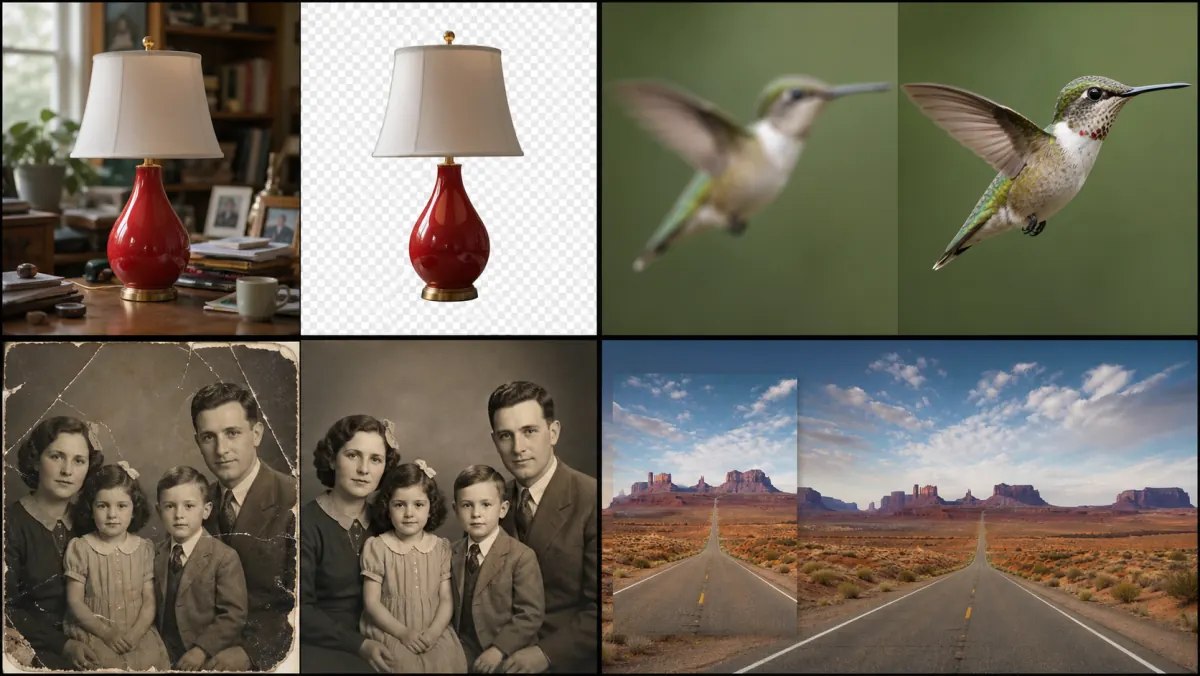
Use this Online Photo Tools preview to compare the category before choosing a tool.
Use Online Photo Tools to compare tools that start with text, one image, or multiple images.
Compare Online Photo Tools by the finished format, framing, and level of control you need.
Review Online Photo Tools results for edges, text, identity, and source-image consistency before reuse.
Before using Online Photo Tools, confirm that you may upload and edit every source image.
Open the Online Photo Tools workspace to see its credit cost before you submit a task.