
A Simpler, More Affordable Way to Make AI Images
Meet ImgFast, a result-first AI visual workspace that keeps your prompts, references, versions, and final exports together without another monthly subscription.
 ImgFast Team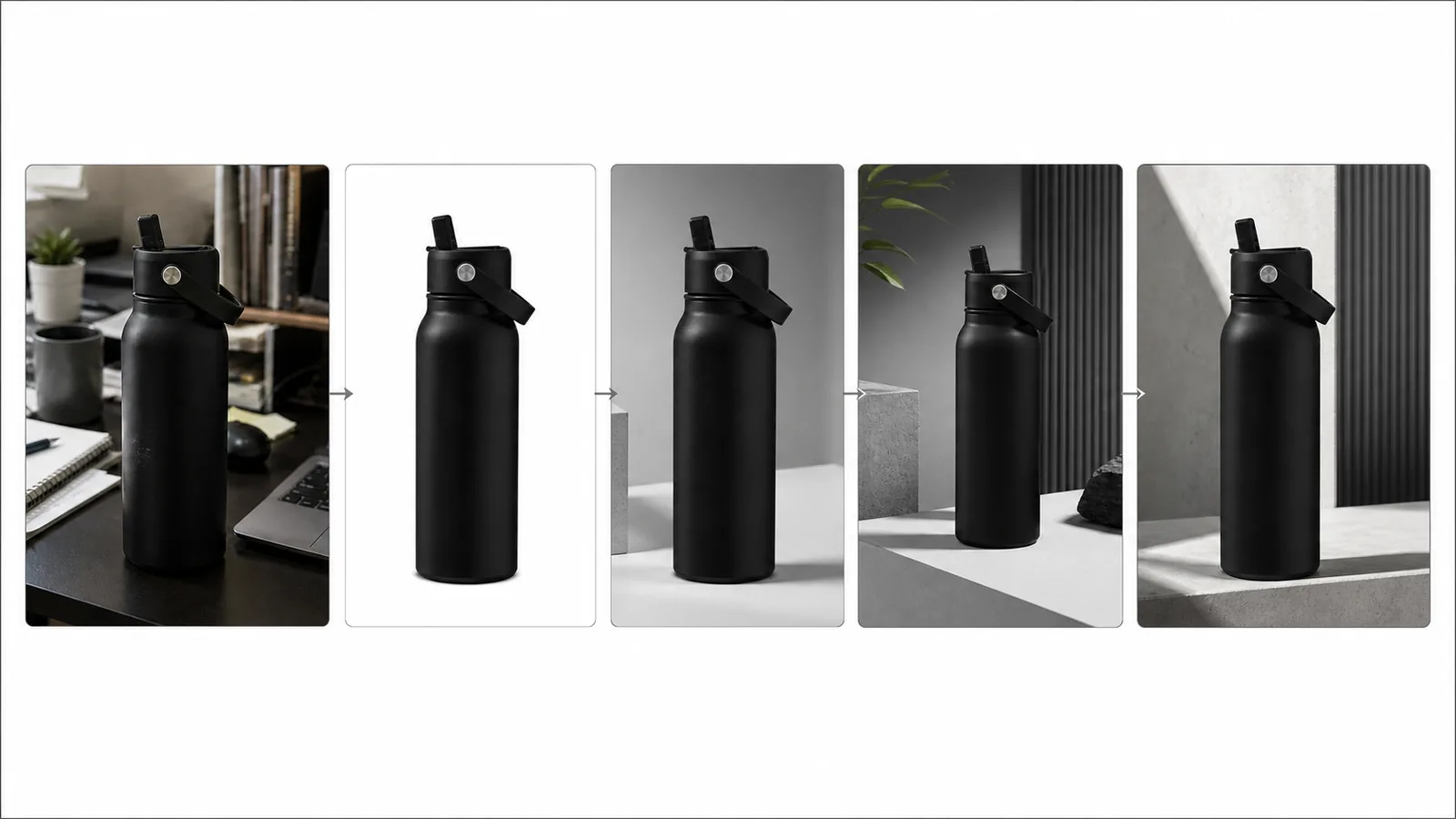
Most AI image jobs do not end with the first render. A product photo still needs a clean background. A square image has to become a wide banner. A promising draft needs another edit before anyone can use it.
The awkward part is often the handoff between steps. You may pay for access every month, even when you are not creating. Then you lose time uploading the same files again, rebuilding prompts, hunting for an earlier result, and moving images between disconnected tools.
ImgFast is a result-first AI visual workspace for creating, editing, refining, and delivering images in one connected history. It is built to help you finish with fewer restarts and pay for the work you actually do.
The first image is rarely the finished image
"Fast" in ImgFast refers to the full path from an image request to a usable result, not a promise that every model responds instantly.
That path looks like this:
- Start with a written brief, a source image, or several references.
- Create the first result in a focused tool.
- Choose Continue editing and send that result into the next task.
- Keep the prompt, source material, settings, and versions connected in the same working history.
- Mark the version you want as final, name it, and download it as PNG, JPG, or WebP.
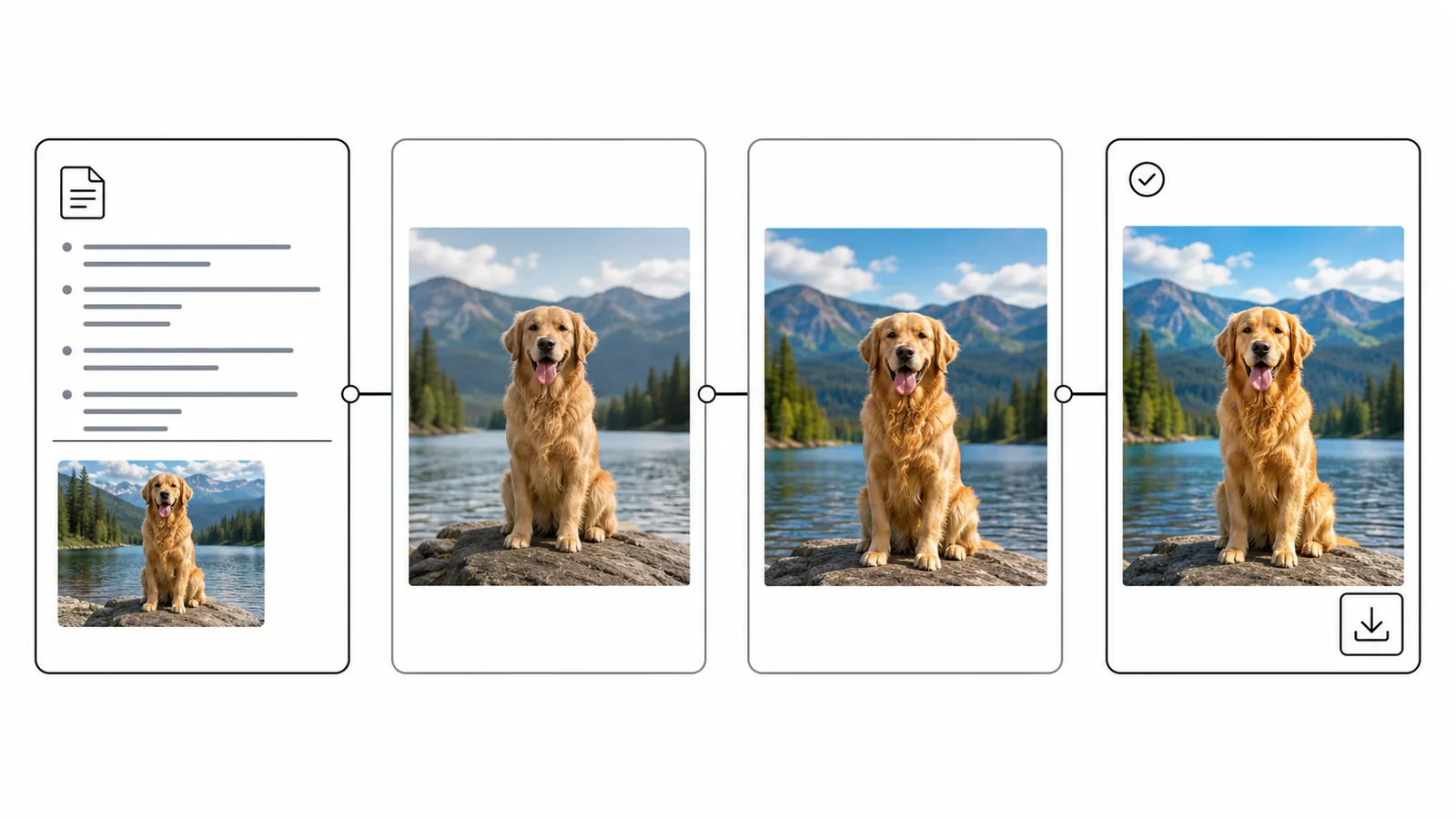
ImgFast keeps the working context connected as the image moves from first result to final export.
You do not have to create a project or fill in a brief before the first generation. ImgFast forms the working context when you continue from a result, then keeps the sequence in a simple timeline. The project structure stays in the background; the next useful action stays in front of you.
One brief, one working history
Imagine that you have a casual product photo and need a clean campaign banner.
You could begin in the AI Photo Editor to change the scene or correct the source. The Background Remover can isolate the subject as a transparent PNG. If the result is too small, the Image Enhancer can enlarge it by 2× or 4×. The Image Extender can then build a wider composition for a banner.
Each step is a specific task. The useful difference is that the result from one step can become the input for the next one without turning the process into a scavenger hunt across downloads, tabs, and old prompts.
The same pattern works for original generation. Start in the Workspace, keep a result you like, refine it with another tool, and mark it final when it is ready for the job.
Affordable means paying for active work, not idle months
Monthly plans are still common. Adobe currently lists its individual Firefly tiers as monthly plans, and ChatGPT Plus is billed monthly with image generation included. Those subscriptions can be sensible when you create at a steady, high volume. (Adobe Firefly plans, ChatGPT Plus details)
ImgFast is designed for a different pattern: work that arrives in bursts. You may need a batch of product images this week, a launch banner next month, and nothing in between. Purchased ImgFast credits do not expire, so a quiet month does not create another charge.
The current one-time packs are:
- Starter: 500 permanent credits for $9.90, or 1.98 cents per credit.
- Creator: 1,500 permanent credits for $19.90, or about 1.33 cents per credit.
- Studio: 3,600 permanent credits for $39.90, or about 1.11 cents per credit.
New users receive 10 free credits after email verification, enough for up to five standard 1K image tasks. No credit card is required for the free start. Current tools use between 1 and 33 credits per run, depending on the tool and settings, and the cost is shown before submission. Failed image tasks are refunded automatically.
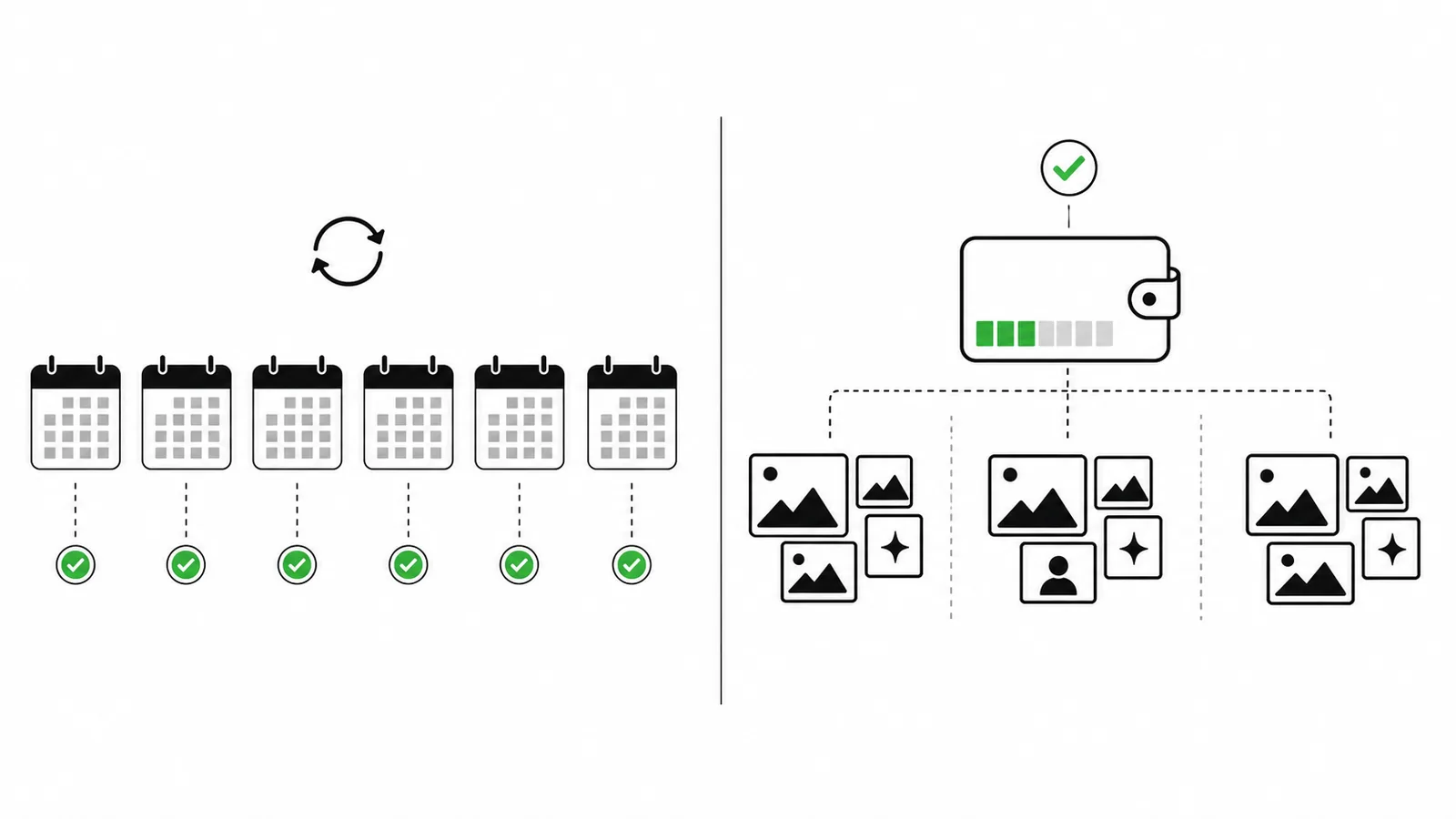
Permanent credits are designed for work that arrives in bursts; subscriptions can still suit steady high-volume use.
This is what "more affordable" means here. ImgFast removes the recurring fee from the equation, and larger packs reduce the unit cost. It is not guaranteed to be the cheapest option for every person or model; the answer depends on how often you create and which tools you use.
You can review the live pack details on the pricing page. Promotional or manually granted credits may have separate terms when stated; the permanent-credit promise applies to credits purchased in the current Starter, Creator, and Studio packs.
Start with the task in front of you
ImgFast is broad as a workspace, but each entry point stays focused. You do not need to learn a large editor before you can make the first useful change.
- Need an original visual from a brief? Open the Workspace.
- Need to describe a change to an existing photo? Use the AI Photo Editor.
- Need a transparent subject cutout? Try the Background Remover.
- Need a larger image while preserving the composition? Open the Image Enhancer.
- Need a new aspect ratio beyond the current frame? Use the Image Extender.
- Need to blend elements from several sources? Try the Image Combiner.
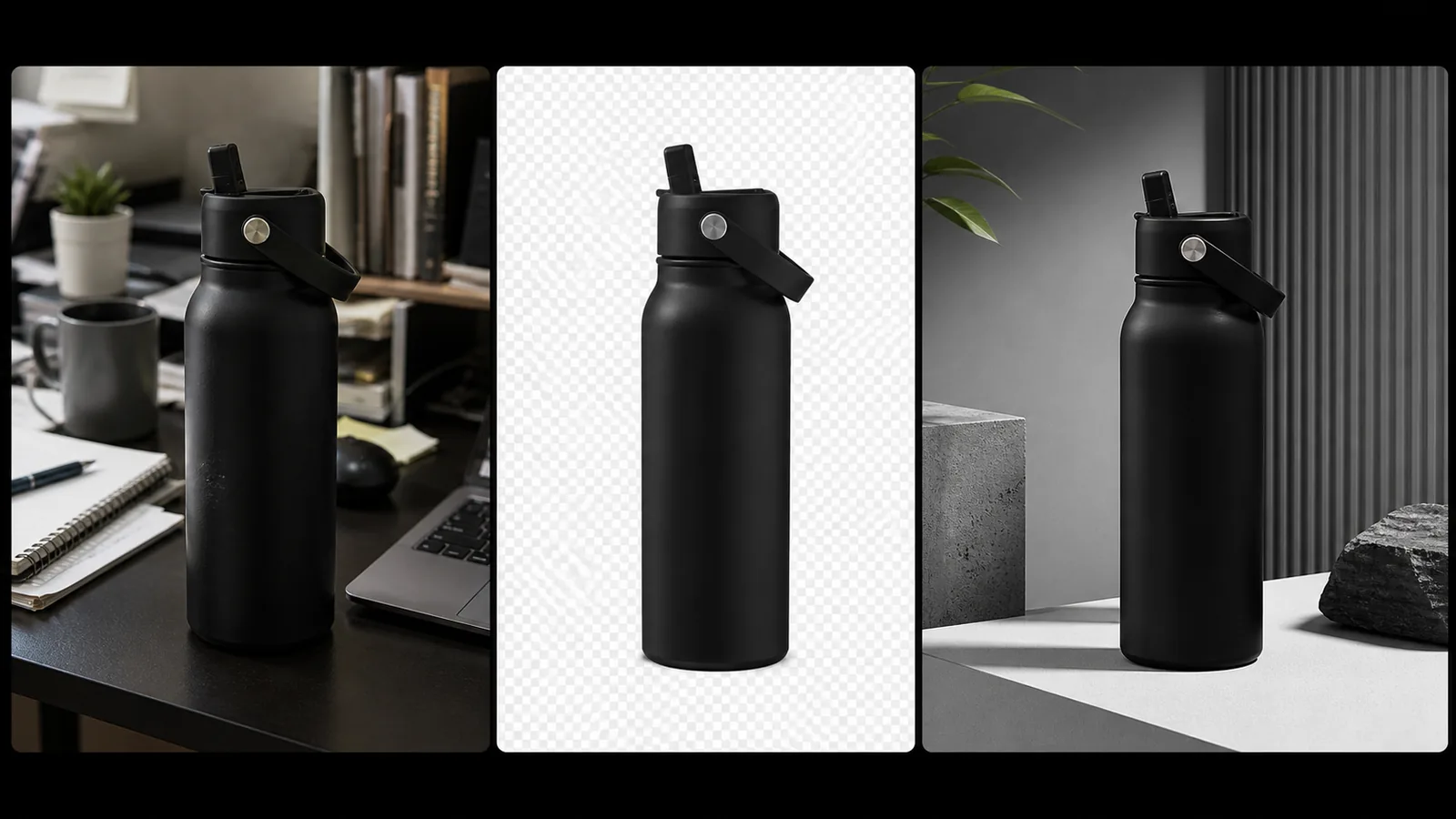
A single result can become the input for the next focused image task.
You can also browse all image tools when the job does not fit one of these common paths. Every supported tool uses the same credit balance, so choosing another workflow does not mean buying another plan.
Who ImgFast is built for
ImgFast makes the most sense when images are part of real work but image generation is not a constant daily production line. That includes independent developers making launch assets, ecommerce sellers preparing product visuals, creators adapting images for several channels, and small teams that need useful editing tools without adding another recurring bill.
It is also a fit when continuity matters more than having an enormous editing interface. The workspace keeps the material behind a result available for the next step: source images, references, prompts, settings, versions, and the final choice.
It may not be the best fit if your team generates at a predictable, heavy volume that makes a subscription cheaper, or if you need the manual precision of a full professional design application. AI output can also change fine details, faces, text, logos, and product geometry. Review the final image at full size before publishing it.
Finish faster by starting over less
Generation is only the first step. ImgFast keeps the work behind a result available so you can carry it through the next edit and into a final export.
Start with 10 free credits in the Workspace, open the AI Photo Editor if you already have a source image, or compare the one-time credit packs before you begin.