
Task-specific directions
In Zootopia Filter, choose City Detective, Downtown Commuter, or Rainforest District as a focused starting direction.
Zootopia filter
Create an unofficial animated-animal city portrait from a photo.
Add the inputs and settings for Zootopia Filter.
PNG, JPG, or WebP up to 6 MB
Describe the subject, setting, colors, text, or constraints for this zootopia filter result.
Checking credit cost…
Track Zootopia Filter tasks and inspect finished results here.
Zootopia Filter is an independent, unofficial creative tool and is not affiliated with or endorsed by the referenced brand, studio, publication, character owner, or public figure. Use only images and names you have permission to use.
Zootopia Filter gives you a focused workspace for an original animated-animal portrait in a lively modern city setting. Start with one person or pet photo, then use the page-specific controls to shape the result.
Compare the illustrative Zootopia Filter example and available directions, then inspect your generated result in the workbench above.
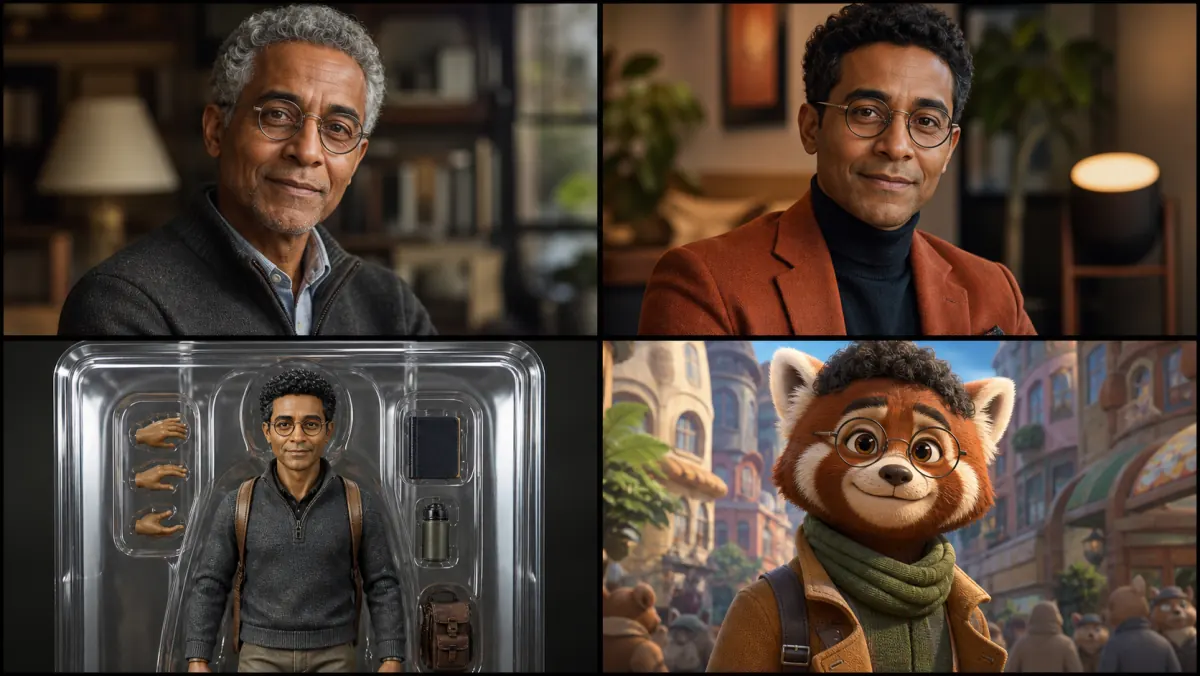
Illustrative animated-animal direction—not your generated result or a copied film character. Check the original species design, expression, clothing, and city setting in your output.
City Detective
City Detective is tuned for an original animated-animal portrait in a lively modern city setting.
Downtown Commuter
Downtown Commuter is tuned for an original animated-animal portrait in a lively modern city setting.
Rainforest District
Rainforest District is tuned for an original animated-animal portrait in a lively modern city setting.
Zootopia Filter starts with one person or pet photo; check that the important subject is clear.
In Zootopia Filter, set the preset, crop ratio, resolution, and any details you want the result to follow.
Inspect the full Zootopia Filter result, then download it or reuse it as a new reference.
In Zootopia Filter, choose City Detective, Downtown Commuter, or Rainforest District as a focused starting direction.
Zootopia Filter lets you choose a portrait, square, landscape, or vertical canvas when the task supports reframing.
Results depend on the clarity of the input and may need another pass for fine text or small details.
Uploads accept PNG, JPG, and WebP files. Completed results stay in your private task history for full-size review, reuse, and download. The action button shows the credit cost before each run.
Start Zootopia Filter with the City Detective direction, then add only the subject or scene details that matter to your result.
Adapt the Zootopia Filter result for a post, story, profile, presentation, or private share when the format fits.
Zootopia Filter can explore a visual direction before you commit time to a finished campaign, print, or personal project.